Saturday, April 5, 2008

Profiler Improvement

hi, this weekend i improve my profiler.
i have simple profiling that let me mark places in the code with PROFILER_BEGIN/END commands and then it shows me the results in a tree view.
while trying to profile some area in the renderer i found a bug in the timing, i cast the time value to dword while i should not.
i also added the feature which mark in red the worst time node in the tree and in orange the worst time leaf in the tree, this way i can see very clearly where the optimization needs to be.
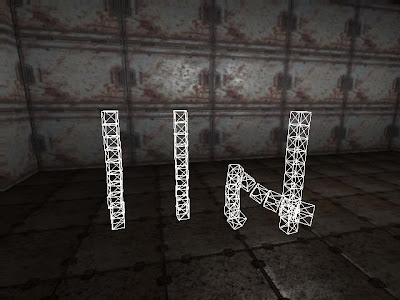
one area i know for sure that needs to be optimize is make skinning. so here is a screenshot of the profiler shows you the results.

Sunday, March 23, 2008

Dynamic Obstacle Avodance Integration

hi, this task wasn't easy, a lot of tiny things that needed to be fix - as i said in my last post :)
but now i'm very pleased with the result, i can drop any number of dynamic obstacles in the scene and the bot/entity will navigate around them.
one very important thing is to make your bot move smoothly and try to take shortcuts when possible, if you wont do it your bot will move around obstacles edges while you can see for sure he can take shortcut, this will make him looks very unnatural and robotic.
here is some screenshots that shows the system in action:
NOTES:
* purple lines shows the from the precomputed ai data the bot aware of, this is convex area so the bot knows he can walk in straight line to any other point in that area.
* small green sphere, goal position the bot need to be at the end
* medium green sphere is the point the bot will move to on the path resulting from dynamic obstacles system, this point is the result of path smoothing. the yellow lines is the path around obstacles without smoothing.
* white boxes is dynamic obstacles (dynamic rigid bodies in debug mode), the green lines around them is the expanding edges of their box.

Simple scene (1 area) this is what the bot aware of

One obstacle added and path generated from the system

Few more added and you can see the new path generated

stress test - start of movement

stress test - middle of movement.
if you watch closely you can see the bot is not moving along the yellow lines and take shortcuts where possible, this can be seen from the bot direction toward medium green sphere.

Monday, March 3, 2008

Dynamic Obstacle Avoidance

Hi, after setting up some basics in my physics engine i realize that my AI system isn't aware of any dynamic object created from the physics engine so i started to think about some generic solution to solve the problem of dynamic avoidance.
until now, i had some basic dynamic obstacle avoidance inside my steering system that check against obstacles on the way and if it found some, it add avoidance forces so the agent while try to steer around the obstacle (works fine for the bots)
the main advantage of this system is that its very simple to implement and it very fast, the disadvantage is that it tries to steer around one obstacle at a time, so if you have few obstacles one after another, it will steer around the first and return, steer around the second and return and so on (does not look very smart), also it doesn't handle the case where few obstacles block our path, it doesn't find a path that goes a around them (if exists) it just tries to steer around the first on the way but end up bumping against them until they moved (and if they wont move you are stuck)
this is unacceptable when you can have a lot of dynamic objects that moves around and could block our path, so i started to build some generic solution to this problem.
the main idea is that i trace a line from my current position to my current goal position (path line), and any obstacle that founded in my way, added to a list of obstacles.
then i check this list against my path line and build "edges graph"/"path tree" from the bounding edges of intersected obstacles and my path line fractions.
this tree is just a graph containing all the combination paths from my current position to my current goal, so then i found the shortest path in the graph and save it as a local path around the obstacles.
of course this is just a brief of the algorithm, there is a lot of tiny things that you need to consider when creating the graph, and also how you can optimize it so you have only few edges to run the shortest path algorithm on.
after i finish the algorithm i had time only to test it against rigid bodies that i throw inside the scene and it really perform well (still need to add few things here and there), i didn't had time to integrate it into my AI system :(
no pictures/movies maybe next time...
BTW: i today i got game programming gems 7, so i have a lot of things to dig into :)

Saturday, February 16, 2008

Rigid Body Physics #4

hi, last weeks i created the physics engine with general constraints, and i though it will be fun to play with them a little, so i added more constraints to the system so i could build more complex systems with it.
the constraints the system support:
1. ball and socket - constraint two bodies to one common point
2. body to body - constraint point on one body to a point on another body
3. body to body with distance - same as 2 but maintain a specific distance between the points
4. body to world - constraint point on a body to be fixed on specific world position
5. body to plane - constraint a body to move inside specific plane
6. body to line - constraint point on a body to move along specific line
7. hinge - constraint point on one body to a point on another body along specific axis with angle limits.
8. universal - same as 1 but constraint an extra degree of freedom, if we specify one axis on body0 and another axis (perpendicular to the first axis) on body1 it keeps them perpendicular.
here is few movies that demonstrate few of the constraints in action:
NOTE: the movies captured in debug mode of the physics system so you'll see some lines and spheres that shows constraints info.

body to line


body to plane


body to world position


body to body


Hinge


Saturday, February 2, 2008

Rigid Body Physics #3

hi, still working on rigid body physics (not an easy task).
i have finished few constraints, (ball & socket, hinge and universal) fixed some collision bugs, improve stability and collision system.
with the new constraints i could start creating rag dolls (maybe next time),
to test the constraints i created simple rope simulation using few universal constraints, and some swinging light, real cool :)
i also added rigid body interactions with other entities like the bots and weapons.
for example: when we shot on a box, the box will be respond to the hit like a real box.
here is few videos that demonstrate the new features:

Weapons interaction


Skeleton of simple rope physics


Saturday, January 19, 2008

Rigid Body Physics #2

hi
i fixed some bugs in the physics engine related to inertia tensor calculations and collisions.
i also add it to my fixed time step scheme, so it will be more smooth.
while checking performance i found a bug in my particle system related to profiler sections, it seems that profiler section started but wasn't ended so it damaged the profiler (this isn't related to rigid body physics but because of this i added nice feature to the profiler so it will show me if sections are not closed properly).
anyway, i founded that my collision system needs optimizations (because of the mesh vs mesh collision), so i searched the net to find some info about generic convex mesh collision and i found something called: GJK algorithm.
i also so that its good to build AABB/OBB trees for the meshes for fast culling.
i already implement AABB tree in my engine for some collision testing at the beginning, now i found some useful area to use it.
as for GJK, i need to read more about it and see how it goes.
in my last update i uploaded screenshots, and its time to add some nice movie to show my physics in action:

Saturday, January 12, 2008

Rigid Body Physics

hi, i decided to add some rigid body physics.
there is a lot of physics engines out there that i could integrate into my engine, so i have checked few engines such as Agiea PhysX, newton dynamics and ode.
Agiea PhysX seems to be very fast and stable, and it comes with great sdk with tons of examples, so i decided to give it a try.
while trying t integrate i have founded that its not so great for me, because i already have very good and fast collision system that i'm using in my AI, projectiles,camera collision and more, so to make use of external lib i must change all the places that use my system to use theirs.
this wasn't an option because i need to check that everything that was working is still works after the change.
i could use their engine with my own systems but it required to duplicate the data, the scene for example must be known by both systems so they and mine could do collisions.
also, i just want simple physics and i wont even use all the features that Agiea PhysX support so i decided to write my own physics engine so the integration will be smooth and clean, this will take some time to do but i think its worth the a effort, i also will learn from the process :)
my physics system is impulsed based, that means that in order to move an object an impulse to act on the object on a certain point.
i choose to use impulsed base physics engine so i wont need to solve big linear equations system every frame, also i could give x ms for the physics engine and things that didn't solved correctly in current frame will get a chance next frame.
also in impulsed base, constraints system isn't stiff, that means the constraints is trying to be preserved by applying forces every frame/iteration, this is different from linear systems (implicit method) because if the system can't be solved (for example: one of the constraint needs very big forces to be preserved) the system will explode.
after reading some materials and got refreshed in my calculus, i'v started to wrote the engine.
i have finished the integration, also add simple shapes: sphere, box, cylinder
the collision system is also finished and support rigid body vs scene and rigid body vs rigid body collision.
for now each rigid body is a mesh, so the collision basically does mesh vs mesh collision, this simplify the things a lot because i don't need to a lot of collision functions based on rigid bodies type.
i also started working on few joint constraints: ball & socket, hinge and universal, next time i hope i will finish it and put some screenshots :)
here is few screenshots of the rigid bodies in action (wireframe mode).

box stacks
one of the stacks lost balance and fall